What is OINK
OINK is a standalone Hugo theme for medium and large technical documentation sites. It evolved from Docsy: the content model and the multilingual behaviour are kept, while the shell, navigation, search and content components are replaced.
A consuming site builds with Hugo Extended. Hugo Module installations also need Go to resolve modules; the initial download needs access to the module source. Theme assets need no Node.js, npm, PostCSS, or CDN request. Bootstrap, Font Awesome, the fonts, local search, the diagram runtimes and the API reference runtimes are all committed to the theme repository and shipped only to the pages that use them.
Components are not a second template language: > [!NOTE] is a callout, a table
with a {.fields} line is a parameter list, and an image followed by
{caption=} has a caption. Fifteen production sites
run on it today, this one among them.
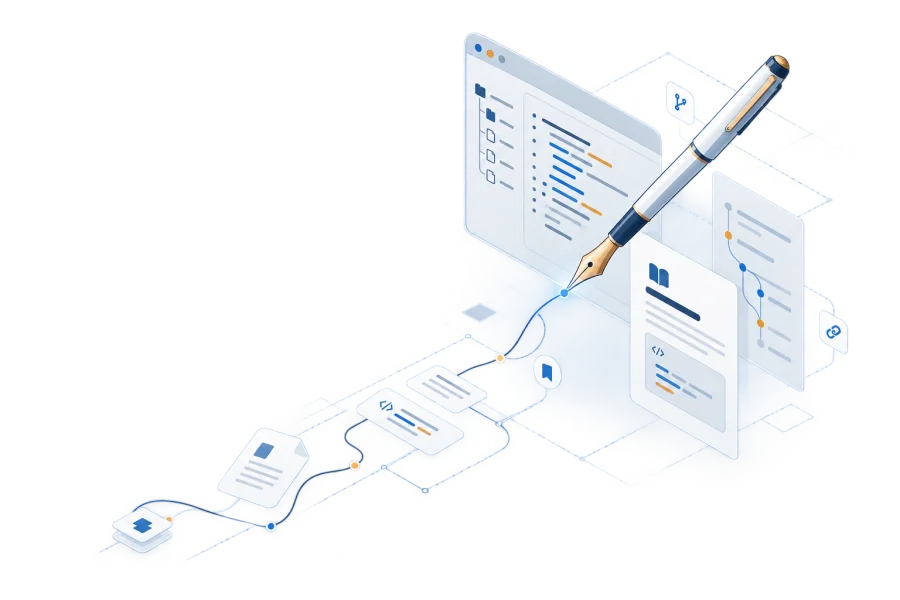
What the theme provides
- The documentation and blog shell: navigation, sidebar tree, table of contents, breadcrumbs, pager, dark mode, print view and accessible interaction.
- The multilingual frame: translation routing, fallback for untranslated pages, language weighting, RTL, and 32 complete interface catalogs.
- Local browser features: Mermaid, Markmap, Swagger UI, Redoc, Asciinema, ECharts, Infographic and full-text search. Mathematics is rendered by Hugo at build time and uses local KaTeX styles.
- Content components: callouts, tabs, steps, cards, field lists, file trees, galleries, badges, keys and more — most with a native Markdown form.
- Content types: beyond ordinary documentation, built-in book numbering and cross-references, release and download pages, data-driven landing pages, and OpenAPI reference pages.
The theme does not handle source hosting or deployment: a site can live on GitHub, GitLab or a private Git server, and the static files Hugo produces can be published anywhere. A site’s own content, brand and business components stay with the site; the theme supplies the shell and the reusable components.
Is OINK for me
| A good fit when | A poor fit when |
|---|---|
| There are many pages and mixed content types: documentation, blog, a book, release pages and an API reference in one site | There are one or two pages and no need for structured navigation; a README or a lighter Hugo theme is simpler |
| You need real multilingual support, not a translation link bolted onto an English site | The site is mostly application UI rather than documentation: OINK can carry the documentation part while business components stay at the site layer |
| Reproducible builds and network isolation matter, and the build machine has no outbound access | You need interactive components inside the prose (React / MDX) |
| Several sites share one shell, so layouts and shortcodes are not copied around | You want one switch that swaps in a different look: the theme has no brand switch, and appearance changes go through CSS tokens and partial overrides |
| The team has no front-end engineers and maintains no Node toolchain | You need a built-in CMS or a WYSIWYG editor |
How it differs from other documentation systems
Choose a toolchain and authoring model before comparing individual features. The same project can be a good fit for different systems depending on who maintains it:
| Your priority | What to evaluate |
|---|---|
| Keep an existing Hugo content workflow | Compare OINK with Docsy and Hextra using your own content tree, overrides, and language needs |
| Build without a Node toolchain | OINK ships its browser assets with the theme; the Hugo Module install path still needs Go to resolve modules |
| Write React components inside documentation | Evaluate an MDX-based system such as Docusaurus; OINK’s main authoring model is Markdown plus attributes and shortcodes |
| Publish books, downloads, or data-driven landing pages | Try OINK’s built-in patterns on one representative page before adopting them site-wide |
Check each candidate’s current installation and extension documentation. OINK’s
search, image zoom, comments, and feedback are opt-in; the site also chooses
Markdown and agent outputs under outputs.
OINK is not a skin layered over Docsy but a theme that forked and evolved separately. Docsy’s source history, its Apache-2.0 obligations and its attribution are kept intact; the details are in License and acknowledgements.
Start here
- Get started — use the official Starter, customize it in layers, and publish it.
- Components — one page per component, source first and rendered result after.
- Showcase — fifteen production sites and which part of OINK each one uses.
Highlights lists what the theme provides capability by capability, each entry linking to the guide that covers it.
What separates OINK from an ordinary Hugo theme, one item at a time, each linking to the guide that covers it.
Find the OINK production case closest to your documentation, book, landing page, or interactive tool.
Which licence applies to which layer — Apache-2.0 for the theme, CC BY 4.0 for the documentation, and their own terms for every third-party runtime shipped with the theme.